
How to Make a Project Timeline
Your manager asks for a project timeline. Not a Gantt chart. Not a sprint board. A timeline — something that shows the shape of the project at a glance.
That's a reasonable request. A good project timeline answers: what happened, what's happening, what's next?
What a project timeline is (and isn't)
A project timeline shows major milestones and phases over time.
It is not:
- A task list with assignees
- A Gantt chart with dependencies and resource loading
- A substitute for Jira, Asana, or Microsoft Project
Sometimes you don't need project management software. You just need a clear visual of the key dates.
Use a simple timeline when you're:
- Kicking off a project and aligning stakeholders
- Sending a monthly status update
- Proposing a plan in a pitch deck
- Documenting what actually happened after the fact
Use a PM tool when you're managing day-to-day work, assignments, and blockers.
Pick milestones, not tasks
The most common mistake: putting every task on the timeline.
Tasks belong in your project tracker.
Milestones belong on the timeline.
| Task (too granular) | Milestone (right level) |
|---|---|
| Write user interview script | Research complete |
| Fix login bug #847 | Testing phase begins |
| Update footer copyright | Launch |
Aim for 6–12 milestones for most projects. A three-month website redesign might have six. An eighteen-month product launch might have twelve.
Ask: If I could only tell someone six dates, which would they be?
Organise by phase (optional but helpful)
Many projects follow a similar rhythm:
Planning → Research → Design → Build → Test → Launch
You don't need to label phases explicitly, but your milestones should reflect movement through them.
For a website redesign (fictional example):
| Date | Milestone |
|---|---|
| 5 Jan 2026 | Project kickoff |
| 12 Jan 2026 | Research complete |
| 26 Jan 2026 | Design approved |
| 16 Feb 2026 | Development complete |
| 23 Feb 2026 | Testing |
| 1 Mar 2026 | Launch |
Six events. Clear story. Anyone can read it in ten seconds.
What it looks like
Here's that same fictional project as an actual timeline:
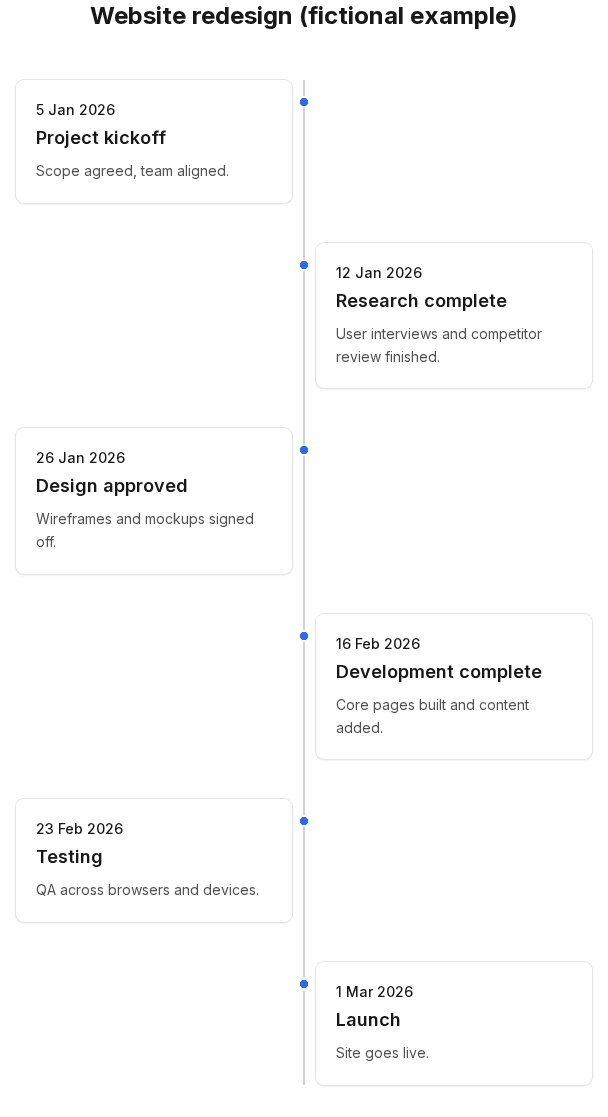
Same data, different visual treatment:
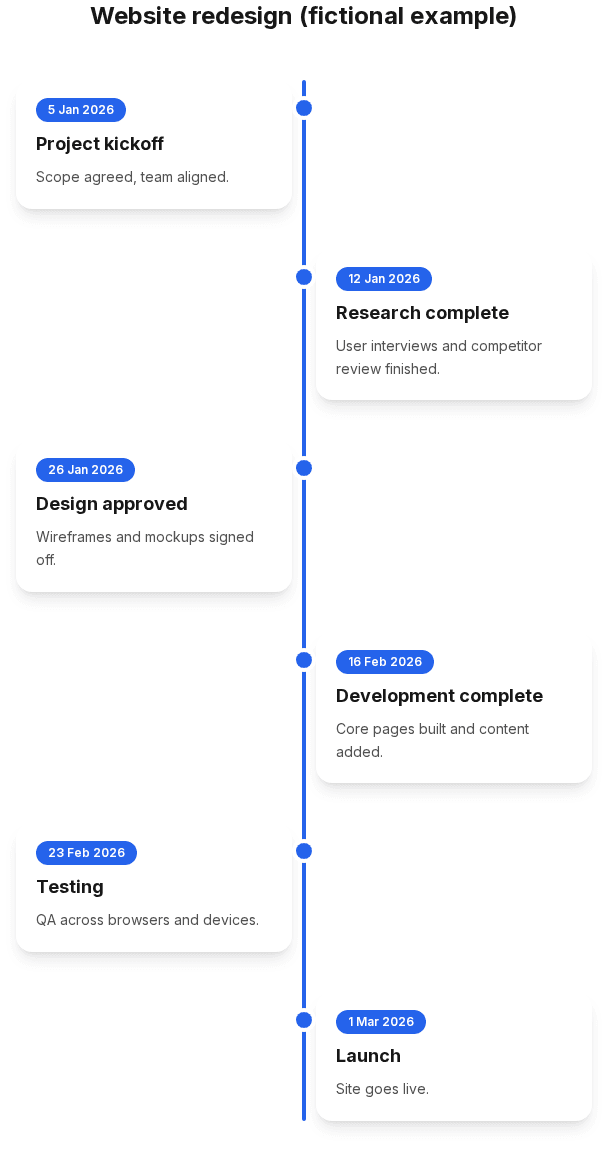
For a status email or internal doc, Clean or Classic is usually enough. For a pitch or product launch deck, Modern adds a bit more visual punch.
How to build it
1. Write milestones in a list
Start in a doc or spreadsheet. Date + short title + optional one-line description.
2. Check the order
Chronological, oldest first. If dates slip, update the list before updating the visual.
3. Enter events in a timeline maker
Open Simple Timeline Maker, add each milestone, or import from CSV if your dates are already in a spreadsheet.
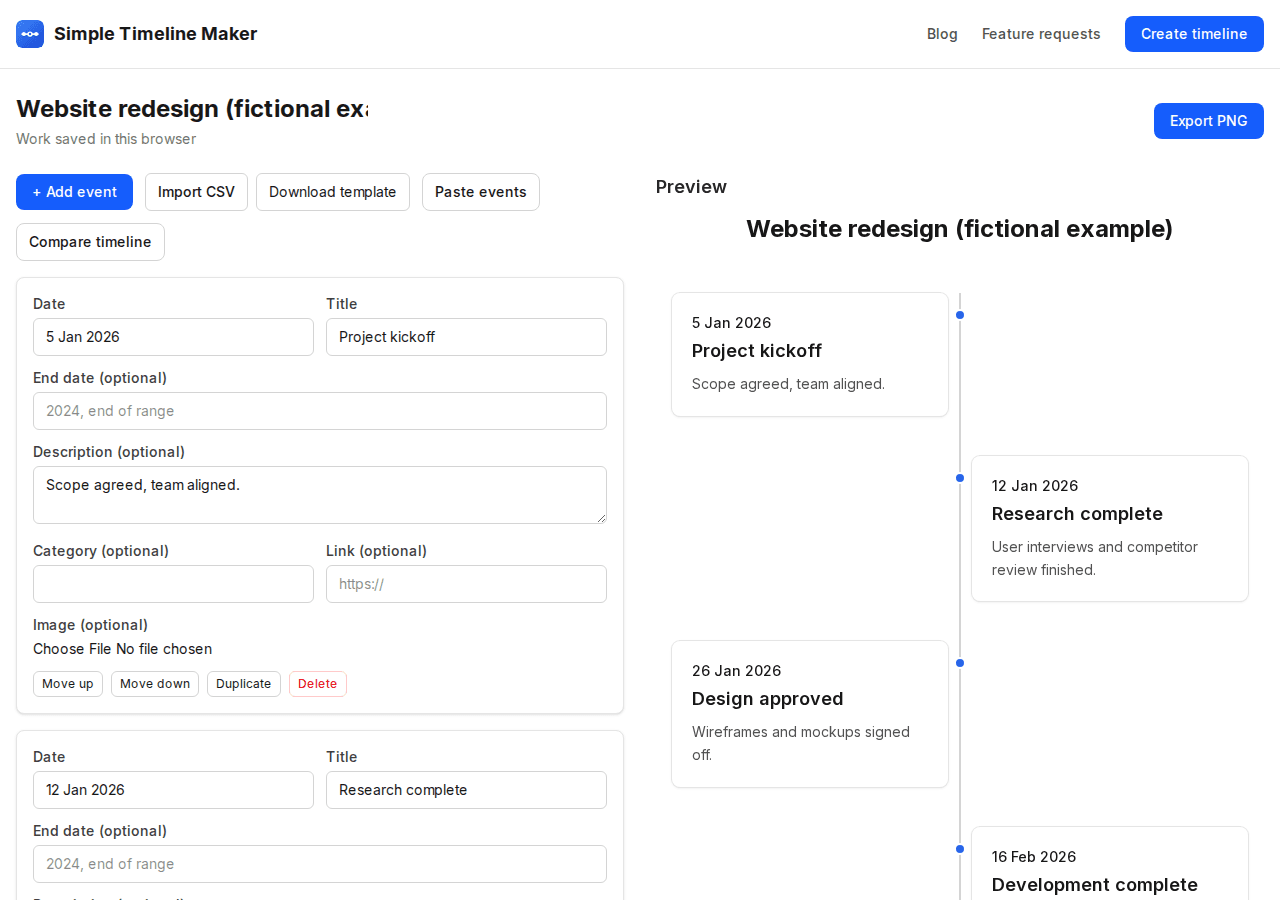
CSV format:
Date,Title,Description
5 Jan 2026,Project kickoff,Scope agreed with stakeholders.
12 Jan 2026,Research complete,User interviews finished.
26 Jan 2026,Design approved,Mockups signed off.
4. Choose a style and export
Pick a style, hide descriptions if the timeline feels crowded, then export a PNG and drop it into your slide or email. Free export is one preview page at a time — if your project spans multiple pages, Premium (£12.99 once) fits everything on one slide-ready PNG, PDF, or PowerPoint file.
No account required for the free tool. Work saves in your browser.
Communicating deadlines without panic
A timeline shows when, not who does what by end of day Tuesday.
If a milestone is at risk, say so in the meeting — don't hide it by removing the date from the timeline. A timeline with one shifted date and a note is more trustworthy than a fantasy schedule.
Date ranges (Q1 2026 - Q2 2026) work for phases where the exact day isn't fixed yet.
Project timeline vs Gantt chart
| Project timeline | Gantt chart | |
|---|---|---|
| Shows | Key milestones | Tasks, durations, dependencies |
| Best for | Stakeholder updates, proposals | Active project management |
| Effort to maintain | Low — update when milestones shift | High — daily/weekly |
| Tools | Timeline maker, PowerPoint | MS Project, Smartsheet, Office Timeline |
If someone asks for a Gantt chart, give them a Gantt chart. If they ask for a timeline, don't over-engineer it.
When Simple Timeline Maker fits
It's built for turning a list of dated milestones into a clean visual — quickly, without learning a diagramming suite.
It does not replace:
- Task assignment
- Dependency tracking
- Resource planning
- Live collaboration on project data
For a milestone visual you need this week, it's a good fit. For running the project itself, keep using your PM tool and export the milestones when you need the picture.
Related reading
- How to create a timeline — general process for any timeline
- Timeline examples — more fictional examples (wedding, product launch, marketing)
- Best timeline creators in 2026 — comparing tools if you need more than milestones
Create your project timeline — enter milestones, pick a style, export when ready.